Appointment Scheduling
Appointment scheduling software that keeps bookable time under your control
Define when appointments can happen, account for service duration and existing bookings, and keep the calendar connected to the availability customers are offered.
OpenBookings checks current scheduling availability so the booking experience is based on the time your business can actually offer.
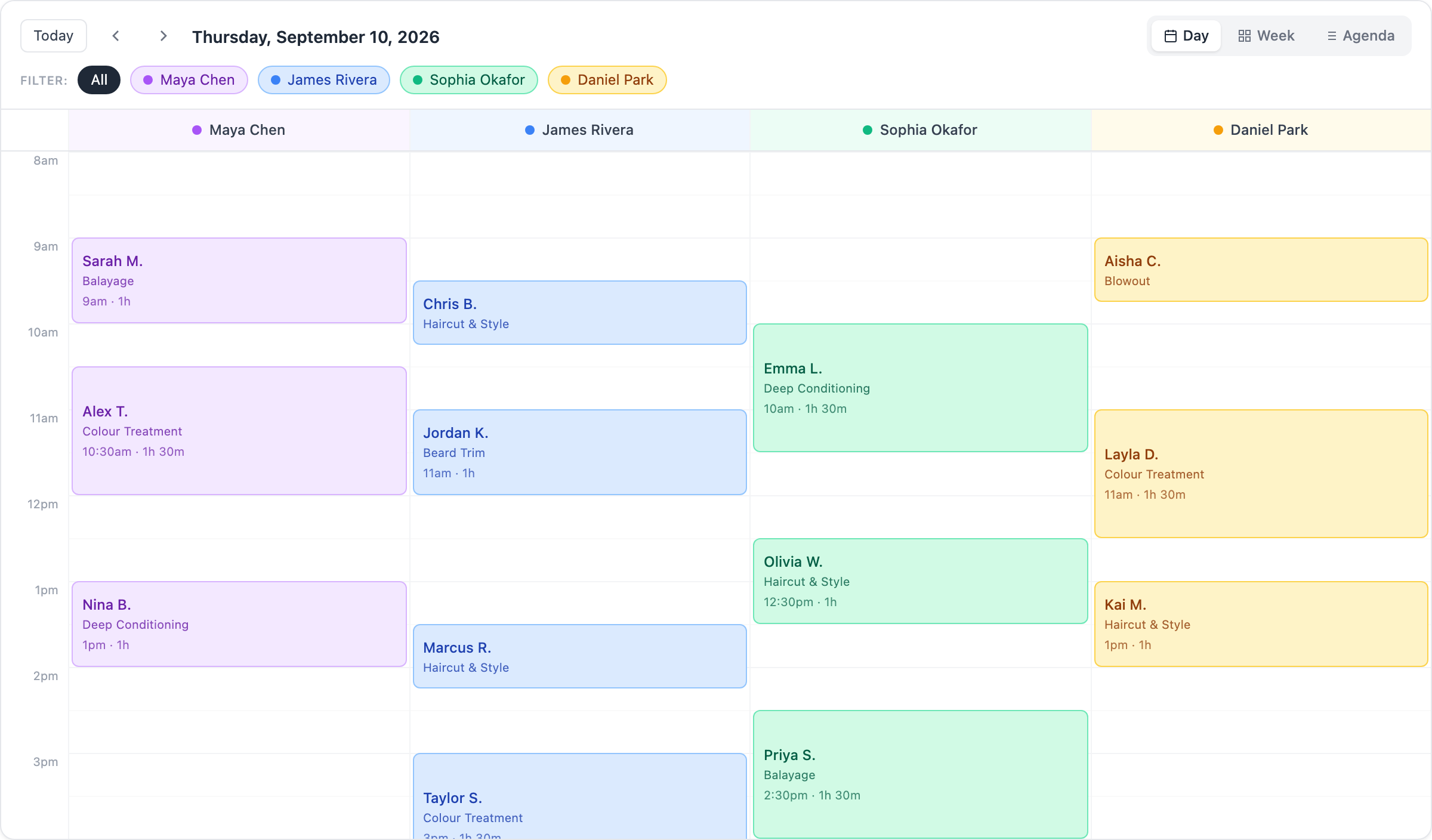
Build bookable time from the schedule you control
Appointment scheduling is more than putting empty squares on a calendar. The available time needs to reflect working hours, closures, service duration and appointments that already exist.
Working availability
Set the days and times you are normally available for appointments so customer booking starts from the schedule you intend to offer.
Closed days and blocked time
Close a day or block time that should not be offered for new appointments.
Service duration
Appointment availability accounts for the configured duration of the service rather than treating every opening as interchangeable.
Existing appointments
Confirmed bookings are part of the schedule OpenBookings checks when determining which appointment times remain available.
Provider availability matters too
For a Team business, bookable time can depend on the availability of the provider who can deliver the selected service.
OpenBookings keeps provider availability connected to appointment scheduling without turning the calendar into an employee shift or workforce-roster system.
Scheduling and team scheduling are related, but different
This page focuses on when appointment time is bookable. Team Scheduling focuses on how multiple service providers have individual availability, assigned services and customer provider choice.
Explore all booking features →Keep booking activity visible in the calendar
Your booking calendar gives you one place to see appointments in the context of the working schedule around them. As bookings are created, they become part of the availability OpenBookings checks for future appointment times.
Availability follows the configured business timezone so bookable future times stay grounded in the business schedule.
Keep Google Calendar in the scheduling context
OpenBookings supports Google Calendar integration on active plans, including Trial. Connected calendar events can help protect availability, while confirmed OpenBookings appointments can stay connected to the calendar workflow you already use.
OpenBookings remains the booking system; Google Calendar is part of the surrounding calendar workflow.
Appointment scheduling, not workforce scheduling
OpenBookings is focused on scheduling customer appointments with service providers.
It is not currently a workforce shift scheduler, timesheet or payroll system, field-service dispatch or routing platform, or a room, chair or equipment resource scheduler. Recurring appointments are not positioned as a current feature unless independently verified and released.
Put bookable time under one scheduling workflow
Manage appointment availability, service duration and calendar context from the same system customers use to book.